


How to Mine on the MiningBoard Pool
Updated June 2026 · Low-fee · Multi-coin · Non-custodial · No account needed
The MiningBoard Pool (pool.miningboard.com) is our own low-fee, multi-coin mining pool with transparent, on-chain payouts. You don't need an account — your wallet address is your username. This guide takes you from zero to your first payout, step by step.
What you'll need
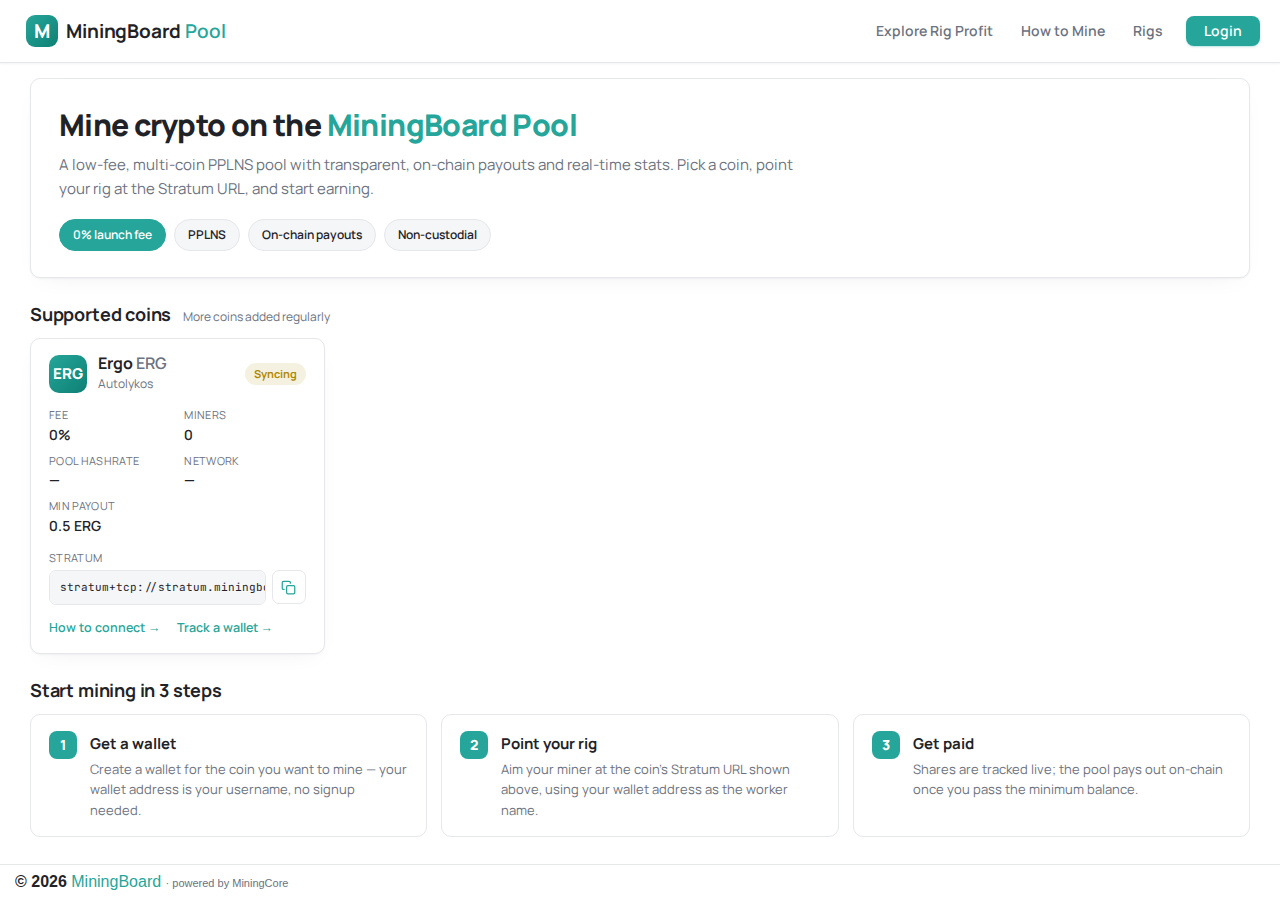
A mining rig, a wallet for the coin you want to mine, and a few minutes. No registration, no KYC, non-custodial. Here's the pool you'll be connecting to:
Step 1 — Pick a coin
Open pool.miningboard.com and look at Supported coins. Ergo (ERG), mined with the GPU-friendly Autolykos v2 algorithm, is live now; more coins are added regularly. Each coin card shows its algorithm, fee, minimum payout, and the exact Stratum URL to point your rig at.
Step 2 — Get a wallet
You need a wallet for the coin you're mining — that address is where payouts land and how the pool identifies you (no sign-up, non-custodial; the pool never holds your coins). For Ergo, a wallet from the official Ergo ecosystem works fine. Copy your receive address — it starts with 9 for Ergo.
Step 3 — Get mining software
Pick a miner that supports your coin's algorithm. For Ergo / Autolykos v2 the popular choices are lolMiner, SRBMiner-MULTI, and team-red-miner (AMD). Download from the developer's official source only.
Step 4 — Point your rig at the pool
On the coin's card, copy the Stratum URL with the copy button. Then configure your miner with that URL, your wallet address as the username, and any label as the worker name.
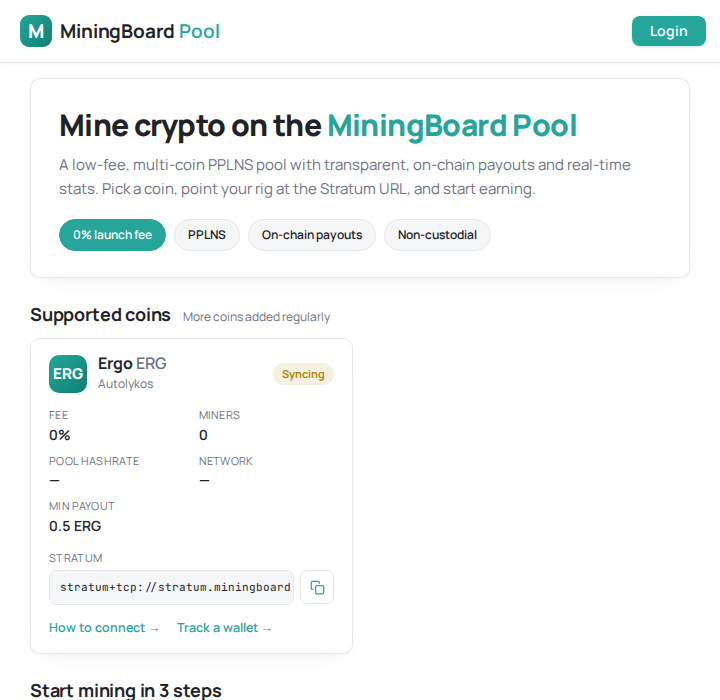
stratum+tcp://stratum.miningboard.com:3052
Example (lolMiner):
lolMiner --algo AUTOLYKOS2 \
  --pool stratum.miningboard.com:3052 \
  --user <YOUR_ERG_ADDRESS>.rig1
Replace <YOUR_ERG_ADDRESS> with your wallet address and rig1 with any worker name. For other coins, copy the exact Stratum URL shown on that coin's card.
Step 5 — Watch your stats
Within ~30 seconds the miner should show accepted shares. On the coin card, click "Track a wallet" and paste your address to see your hashrate, workers, and pending balance. (Stats appear once the pool is live and your rig is connected.)
Step 6 — Get paid
The pool uses PPLNS — you're paid proportionally to the shares you contributed over a recent window, which keeps fees and variance low. Once your balance passes the coin's minimum payout (0.5 ERG for Ergo), the pool sends an on-chain payout to your wallet automatically. New to pools? Read what a mining pool is and how payout schemes compare.
Best rigs for mining Ergo on our pool
Ergo's Autolykos v2 is GPU-friendly. These are the most profitable rigs we track for it right now, ranked by revenue — profit is shown live at your electricity rate. Click any rig for full specs, efficiency, and ROI.
| # | Rig | Hashrate | Profit / day | |
|---|---|---|---|---|
| 1 | Nvidia Nvidia H100 NVL | 900 Mh/s | $56.85 | View → |
| 2 | Nvidia Nvidia RTX PRO 6000 S | 365 Mh/s | $39.66 | View → |
| 3 | Nvidia Nvidia RTX PRO 6000 WK | 340 Mh/s | $36.28 | View → |
| 4 | Nvidia Nvidia RTX PRO 6000 | 340 Mh/s | $36.28 | View → |
| 5 | Nvidia Nvidia RTX PRO 6000 MaxQ | 280 Mh/s | $35.88 | View → |
| 6 | Nvidia Nvidia GeForce RTX 5090 | 580 Mh/s | $24.80 | View → |
| 7 | Nvidia RTX 5090 | 580 Mh/s | $22.22 | View → |
| 8 | Nvidia Nvidia RTX PRO 6000 WS | 365 Mh/s | $20.67 | View → |
Profit is shown live at the default electricity rate — browse the full rig leaderboard to compare every rig.
Will it be profitable?
That depends on your hardware's efficiency and your electricity rate. Before committing a rig, run the numbers: see is mining still profitable? and how electricity cost affects profit, then compare hardware on the MiningBoard rig leaderboard.